Experimenting with Gimp

One of the nice things about this past weekend was that I was able to take a bunch of photos without much forethought. For example, in Windsor, obviously I wanted to make sure I got some nice photos of the Detroit skyline so I went focused on making sure I got plenty of those to choose from and I did exactly that.

Greenfield Village, on the other hand, was a place that Angela had found and planned out with her parents to go visit, and I hadn’t really had time to really look into what to expect when we got there. That gave me an opportunity to tour through the site as more of a photo-walk than anything else, taking photos that allowed me to play with the camera settings:
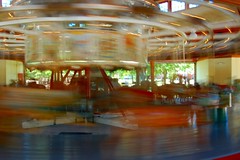
Carousel

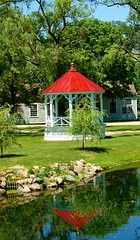
Or photos that allowed me to play with color enhancement a bit.
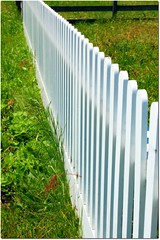
Picket Fence          Gazebo

And, naturally, since this is an historic village, I had to play with some of the “aging” effects as well, turning the historic baseball game into a truly historic looking photo.
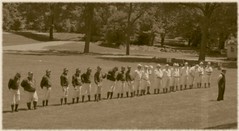
Ball Team BW

I’m enjoying taking my time and going through these photos. It allows me a bit more time to get creative and develop some more processing skills. I’ve only got a handful up in the Greenfield Village Set for right now, but I should be adding some more in the coming days.

Technorati tags: Flickr, GreenfieldVillage, Photowalking, Gimp

Similar Posts

  • History lesson

    Something struck me yesterday as we were strolling through the Columbus Museum of Art. We had gone specifically to see the American Impressionsists exhibit, but as we wandered around the rest of the musuem I was struck by one wall that had a “Photos of the City” display. These Photo League works ranged back to…

  • | |

    Annual Tradition – Favorite Photos of 2011

    This has been a bit of an off year for me as a photographer. Dealing with all the changes and challenges of this year has kept me busy, obviously. Not really traveling much this year compared to the last few certainly contributed to that as well. On the other hand, I have spent some time…

  • ABA Techshow Day 1 AM

    My first session, in the Litigation track, is the Formula for high-tech trial success. Starting out with basics of converting documents into easy to review format. (TIF), discovery software, review software. Use the technology to dedupe, organize by search terms, etc. You simply can’t go through every document manually anymore with the quantities of ESI…

  • |

    Wandering

    Today was a day for wandering around and trying to get some decent photos. Angela planned out a nice day of driving to Urbana, Ohio to the Robert Rothschild Farm, to pick some fresh raspberries, have a nice lunch, etc. Unfortunately, the picking turned out to be more work than we had bargained for. Seems…

  • |

    Photography Podcast Coming

    Victor Cajiao, longtime host of the Typical Mac User Podcast, announced the start of a new podcast coming in January focusing on Photography. The idea came up during the end of year holiday tech discussion on Friends in Tech. The same day that was released, of course, Victor announced the Typical Shutterbug Podcast would be…

2 Comments

  1. I know you’re really busy and all, but it’d be great if you did a short write-up on how you did the color enhancement and aging with The Gimp. I’ve just started messing around with digital photography myself and I have used some of the basic things in The Gimp but not stuff like that.

    I’m sure there are other tutorials out there, but I find your explanations very easy to follow, so if you have the time to write them I’d love to read them.

  2. That’s actually something I’ve been thinking about doing, actually showing a before and after processing. I’d say it’s something I do want to start doing, and maybe I’ll try to fit that in around some other projects I have planned for the site, as well as some off line projects.

Leave a Reply

This site uses Akismet to reduce spam. Learn how your comment data is processed.

To respond on your own website, enter the URL of your response which should contain a link to this post's permalink URL. Your response will then appear (possibly after moderation) on this page. Want to update or remove your response? Update or delete your post and re-enter your post's URL again. (Find out more about Webmentions.)